
Download PlainCanvas – AI Writing Assistant, Art Generator & PDF Summarizer
Overview
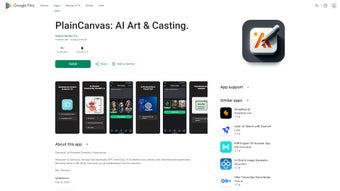
PlainCanvas is a web‑based AI writing assistant that merges the creative power of GPT‑4 with the visual brilliance of DALL‑E. Designed for students, educators, content creators, and anyone who needs to turn ideas into polished text, striking images, or audible narration, PlainCanvas offers a full‑version experience that feels both powerful and approachable. The platform’s standout capabilities include AI‑driven art generation, an innovative “Art Casting” feature that lets you project created artwork onto any screen, and robust document handling tools that can scan, summarize, and condense PDFs or lengthy web articles in seconds.
Adding a Text‑to‑Audio conversion module, the service also caters to auditory learners and professionals who need quick voice‑overs or podcasts. Security is a core promise: PlainCanvas does not share user data with third parties, and regular updates keep the engine fast, reliable, and aligned with the latest AI advancements. While the free tier is ad‑supported and offers in‑app purchases for premium assets, the overall package delivers a comprehensive creative and productivity suite without the need for multiple separate tools.
Whether you are drafting a research paper, creating a marketing visual, or simply looking for a convenient way to listen to an article on the go, PlainCanvas bridges the gap between imagination and execution.
Features & Benefits
PlainCanvas distinguishes itself by packing a suite of AI‑powered utilities into a single, browser‑based interface. Below is a concise feature list, followed by a deeper dive into how each capability can streamline your workflow.
- AI Art Generation (GPT‑4 + DALL‑E): Produce unique illustrations, concept art, or marketing graphics from simple text prompts. The system understands style cues, color palettes, and composition preferences.
- Art Casting: Once an image is generated, you can cast it instantly to any connected display—smart TV, projector, or digital signage—turning ideas into visual presentations on the fly.
- PDF Scanning & Summarization: Upload a PDF, and PlainCanvas extracts the core concepts, delivering a concise summary that saves hours of manual reading.
- Web Article Condensation: Paste a URL, and the tool trims lengthy articles into bite‑size summaries while preserving key arguments and data points.
- Text‑to‑Audio Conversion: Convert any block of text into natural‑sounding speech. Ideal for creating audiobooks, study guides, or voice‑overs for videos.
- Secure Data Handling: No third‑party data sharing, encrypted transmission, and regular security patches ensure your creative work stays private.
- Continuous Updates: The platform receives monthly AI model upgrades, UI refinements, and new template packs at no extra cost.
Each feature is built with a focus on usability. For instance, the AI Art Generator includes a style selector (e.g., watercolor, cyberpunk, minimalism) that eliminates the need for post‑processing in external editors. Art Casting leverages WebRTC technology, allowing seamless streaming without additional software installations.
The PDF summarizer uses a proprietary algorithm that identifies headings, bullet points, and tables, delivering a summary that mirrors the original document’s logical flow. Meanwhile, the Text‑to‑Audio engine supports multiple voices, speed adjustments, and export options (MP3, WAV) so you can embed the audio directly into presentations or learning management systems. Collectively, these tools empower users to move from concept to final product in a single session, dramatically cutting production time and costs.
Installation, Usage & Compatibility
Because PlainCanvas is a web‑based service, installation is virtually nonexistent. You simply need a modern browser (Chrome, Firefox, Edge, or Safari) and an active internet connection. Follow these three steps to get started:
- Visit the official site: Navigate to plaincanvas.com and click the “Start Free” button. No download is required; the application loads directly in your browser.
- Create an account: Register with an email address or use a Google/Apple single‑sign‑on option. Account creation unlocks cloud storage for your generated assets and enables personalized settings.
- Configure your workspace: Choose your preferred language model (GPT‑4), select default output formats (image resolution, audio bitrate), and optionally enable ad‑free mode via the in‑app purchase.
PlainCanvas runs on any operating system that supports a current web browser, including Windows 10/11, macOS Monterey and later, Linux distributions, as well as mobile platforms such as Android 8+ and iOS 13+. The responsive design automatically adjusts the UI for tablets and smartphones, ensuring that you can generate art, summarize documents, or produce audio on the go.
Usage is straightforward: type a prompt into the “Create” panel, select the desired module (Art, Summarize, or Audio), and click “Generate.” For PDF summarization, drag the file into the designated zone; the system will analyze the content and present a summary within seconds. The platform also offers keyboard shortcuts (e.g., Ctrl + Enter to generate, Ctrl + S to save) for power users. All assets are saved to a secure cloud folder, accessible from any device after login. If you prefer offline work, PlainCanvas provides a downloadable Chrome extension that caches recent projects for limited offline editing, syncing back to the cloud once you reconnect.
Pros, Cons, FAQ & Conclusion
Pros
- All‑in‑one AI suite eliminates the need for multiple separate tools.
- Web‑based, so no heavy installations or OS restrictions.
- High‑quality art generation with style controls.
- Robust PDF and article summarization saves research time.
- Text‑to‑Audio with multiple voice options enhances accessibility.
- Strong privacy policy; no third‑party data sharing.
- Regular free updates keep the AI models current.
Cons
- Free version includes ads that may be distracting for some users.
- In‑app purchases required for high‑resolution image exports.
- Dependent on internet connectivity; offline features are limited.
- Audio generation can be slower on large documents.
- Advanced customization (e.g., fine‑tuned prompts) may have a learning curve.
Frequently Asked Questions
Is PlainCanvas really free to use?
Yes, a free tier is available and includes all core features, but it displays ads and limits export resolution for images. Premium upgrades remove ads and unlock higher‑quality outputs.
Can I use PlainCanvas on a mobile device?
Absolutely. The responsive web app works on Android and iOS browsers, and the interface adapts for touch input, making it easy to generate art or summarize PDFs on a phone or tablet.
How does PlainCanvas handle my data privacy?
PlainCanvas encrypts all communications with TLS, stores assets in secure cloud containers, and explicitly states that it never sells or shares user data with third parties.
What formats are available for the generated audio?
Audio can be exported as MP3 or WAV. Users can choose the bitrate and playback speed before downloading.
Is there a limit to how many PDFs I can summarize per day?
The free plan allows up to five PDF summarizations per day. Premium subscribers enjoy unlimited summarizations and priority processing.
Conclusion
PlainCanvas stands out as a versatile, AI‑driven platform that truly integrates creativity with productivity. By coupling GPT‑4’s language mastery with DALL‑E’s visual artistry, it eliminates the fragmentation that typically plagues digital workflows. Whether you are a teacher looking to convert lesson plans into engaging audio, a marketer needing quick mock‑ups, or a researcher who wants to distill dense PDFs into digestible summaries, PlainCanvas delivers a secure, continuously updated solution that works across Windows, macOS, Android, and iOS.
While the ad‑supported free tier may not be perfect for every user, the value offered—especially the ability to generate and cast art in real time—justifies the modest premium options. Ready to streamline your creative process and boost your learning efficiency? Download PlainCanvas today and experience the future of AI‑enhanced writing, imaging, and audio conversion.
PlainCanvas offers an impressive blend of AI writing, image creation, and audio synthesis, all within a secure web environment. The occasional ads in the free version are the only notable drawback, but the feature depth and cross‑platform accessibility make it a compelling choice for creators and learners alike.



.png)



